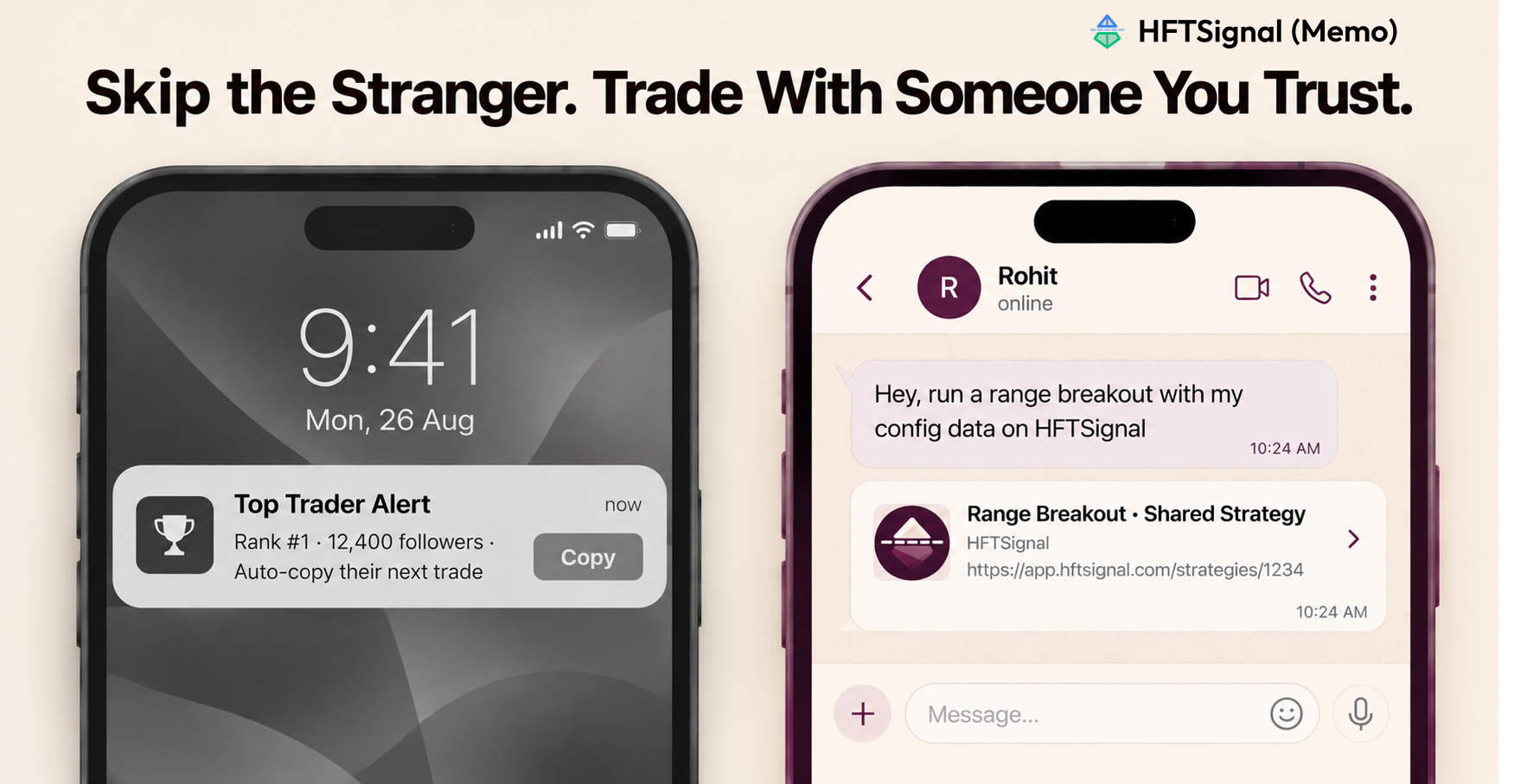
Copy trading works like this: you find someone on a leaderboard you’ve never met, and your money starts following their trades automatically. You don’t really know why they’re doing what they’re doing — you’re just trusting a stranger.
HFTSignal’s Share Strategy feature works the other way around. A friend builds a strategy, clicks Share, and sends it to you directly. You see exactly what it does before you touch it, and nothing happens in your account until you decide to run it.
What Does “Sharing a Strategy” Actually Mean?
It means a friend clicks Share on a strategy they built, and gets a text block with a link plus the complete configuration — ready to hand to you.
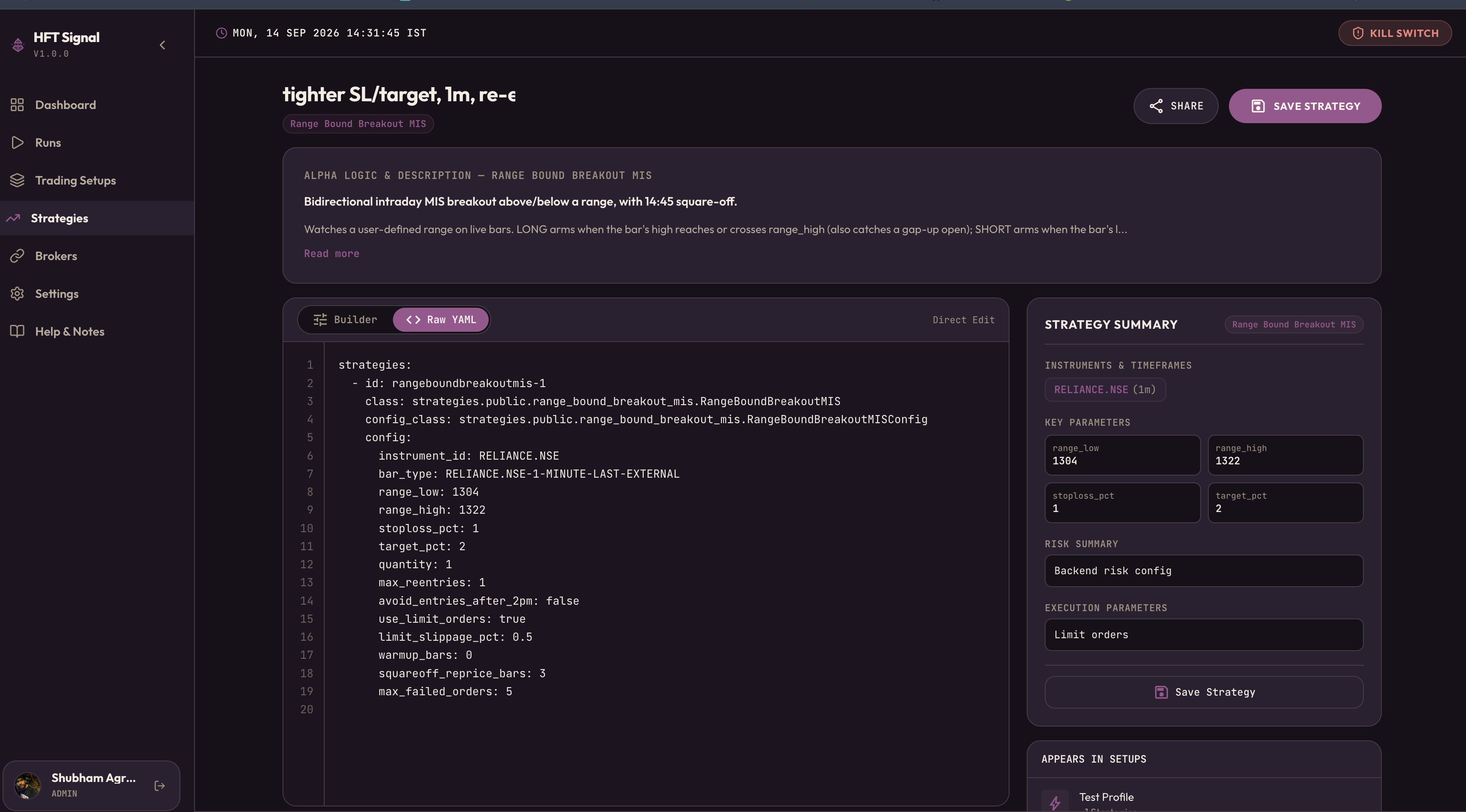
That export includes the strategy’s name, a direct link to open it, and the full setup — what it trades, how much it trades, and how it enters and exits. It never includes broker logins or account details, just the strategy itself. Take a share for a strategy called “tighter SL/target, 1m, re-entry allowed,” built on the RangeBoundBreakoutMIS template: the export carries a Strategy ID naming the exact template it’s built on, a plain-language Strategy Name describing how this tune differs from the template’s defaults, an Open link that takes the recipient straight to that strategy’s pre-filled page on HFTSignal, and the YAML config itself — the instrument and bar type it trades, its entry range, its stop-loss and target percentages, position size, whether it re-enters after a stop-out, and its order-execution settings.
Every one of those fields is visible before you decide whether to import it — nothing is running yet, and nothing is hidden behind a UI you’d have to click through to understand.
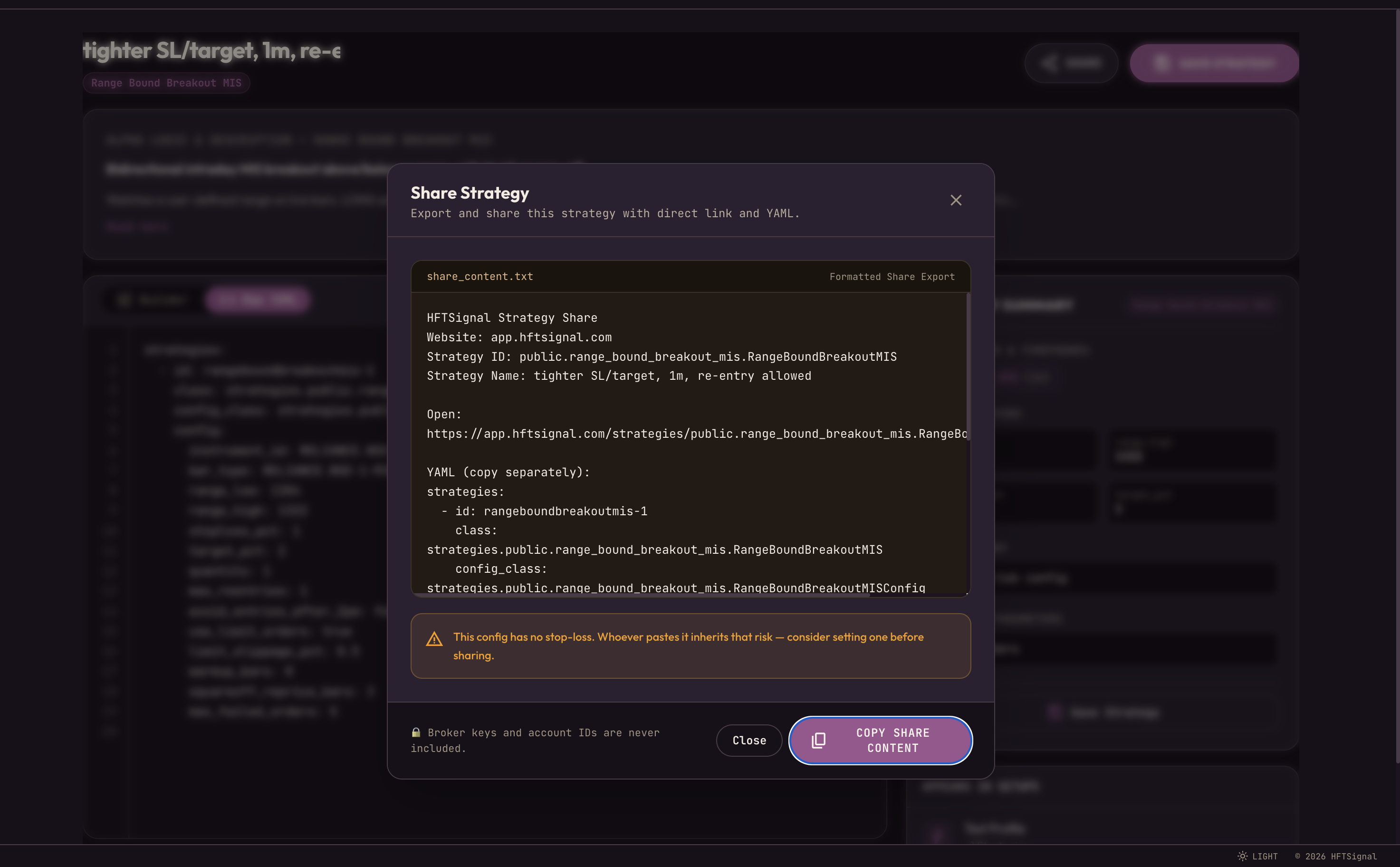
If the shared config doesn’t have a stop-loss set, HFTSignal flags it right there before you send it: “Whoever pastes it inherits that risk.” It doesn’t hide the risky parts from you.
Copy Trading vs. Sharing a Strategy — What’s Actually Different
| Copy Trading | Share Strategy | |
|---|---|---|
| Who you’re trusting | A stranger, ranked on a leaderboard | Someone you actually know |
| What gets sent | Live trades, mirrored automatically, ongoing | One configuration file, one time |
| Can you see how it works? | Usually no — it’s a black box | Yes — the full settings, plain to read |
| Who decides when it runs | Their trading activity decides for you | You do, every time |
Getting It Doesn’t Mean It’s Running
Receiving a shared strategy doesn’t put it into action. You paste the config into your own Strategy Builder, save it, and from that point it’s simply your strategy — not linked to your friend’s account anymore.
Want to see how it would have performed first? Run a backtest. Curious how it handles live prices without risk? Paper trade it. Ready to commit? Connect your own broker and go live, entirely on your own call.
Nothing runs on its own. Your friend’s account and yours stay completely separate the whole time. It’s just a much faster way to start from something real instead of a blank page.
FAQs
What is Share Strategy on HFTSignal?
A button on any strategy that generates a link plus the full YAML config, so you can send someone the exact settings you built — nothing hidden, nothing automatic.
Isn’t Share Strategy just copy trading with extra steps?
No. Copy trading automatically mirrors a stranger’s live trades in your account on an ongoing basis. Share Strategy sends a one-time config to someone you actually know, who has to manually import, review, and launch it themselves.
Does a shared strategy start trading as soon as I receive it?
No. You paste the config into your own Strategy Builder and save it. From there, it’s your strategy to backtest, paper trade, or go live with — through your own broker, on your own decision.
Shubham Agrawal
HFTSignal researches strategy templates and builds the execution infrastructure Indian retail traders tune and deploy on their own broker.
Related Posts
Try HFTSignal
We research the strategy templates. You tune the parameters. Deploy on your own broker — no code required.
Start for free →